
Features
Remind customers of your card when they are near your shop
Add your shop’s location in YourLoop, and a customer’s iPhone may show your loyalty card on the lock screen when they are nearby. The phone does this by itself. YourLoop does not track customers or receive their location.
Location reminders are on the Pro and Business plans.
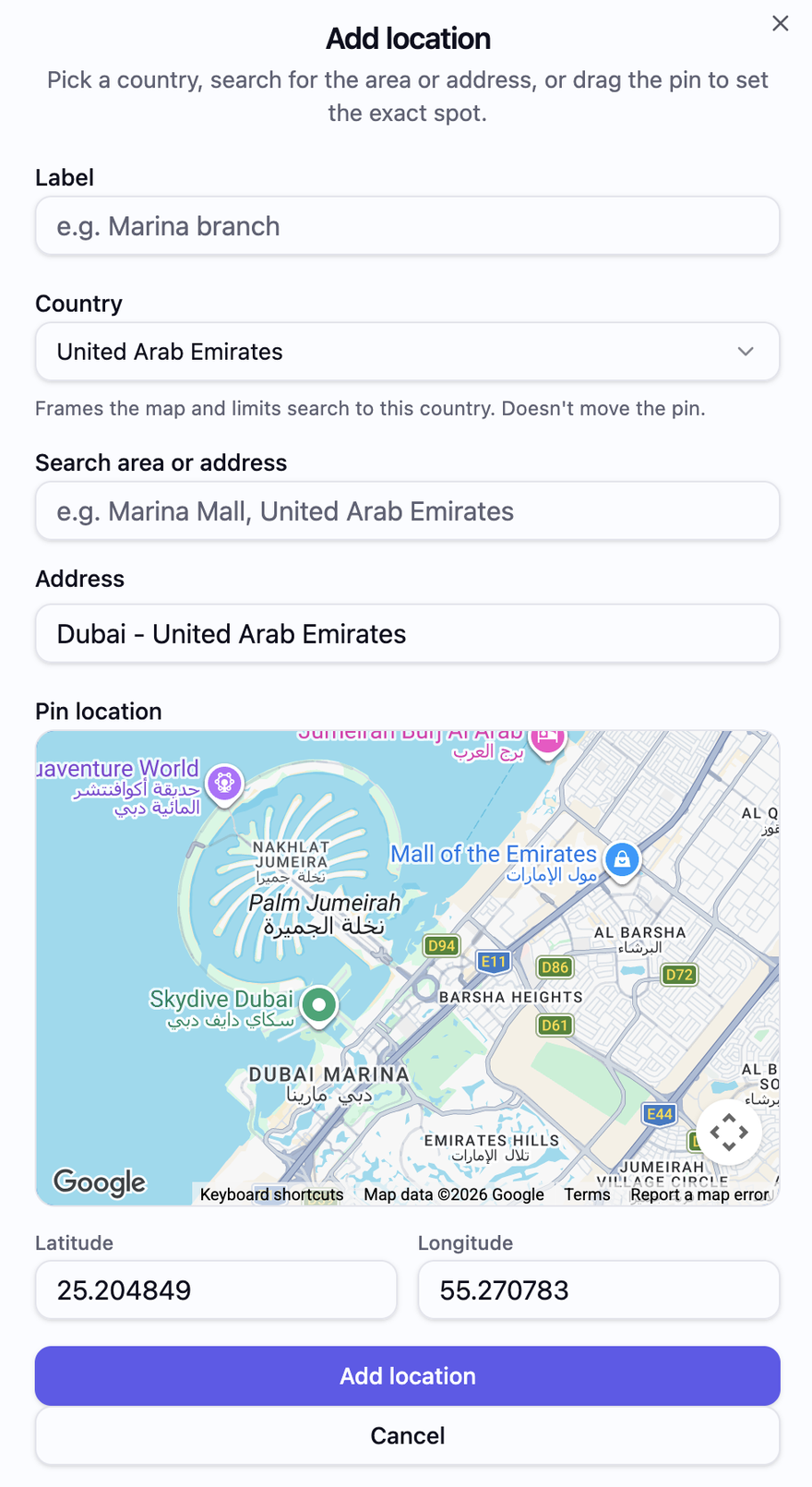
The Add location screen in YourLoop.
The short version
Works on
iPhone, with your card saved in Apple Wallet.
What the customer sees
A reminder on the lock screen with your business name and their number of stamps.
Who shows it
The iPhone itself. YourLoop sends nothing and never receives the customer’s location.
Shop locations
Up to 5 on Pro. Unlimited on Business.
Price
Pro is AED 249 a month, with a 7-day free trial.
How the reminder works
- 01
Add your shop on the map
In Settings, go to Business Locations and add a location. Search for your area or address, or drag the pin to the exact spot. Give each branch a name.
- 02
It is saved on the card
Your locations are saved on the cards in your customers’ Apple Wallet. Customers do not need to do anything.
- 03
The customer comes near
When the customer is close to one of your shops, the iPhone shows the card on the lock screen.
- 04
They open the card
One tap opens the card with its QR code, ready for your staff to scan. No app is downloaded.
What you can do with location reminders
Add every branchPro and Business
Up to 5 locations on Pro and unlimited on Business. Each one has its own pin on the map.
Set the exact spot
Search for the area or address, or drag the pin to your shop’s door.
Remind without sending anything
You do not write or send a message. The iPhone shows the reminder by itself when the customer is nearby.
Respect customer privacy
YourLoop never sees where your customers are. The check happens on their own phone.
What it does not do
- It cannot promise that every iPhone shows the reminder. That depends on the customer’s location and notification settings.
- You cannot write the reminder text or choose the distance. The text is fixed and in English: “You are near [your business name]! You have [number] stamps.”
- It does not add stamps. Your staff still scan the card.
- One card carries up to 10 of your locations.
- It is for iPhone and Apple Wallet only.
Questions
- Does YourLoop track my customers’ location?
- No. The iPhone checks the location by itself. YourLoop does not receive it.
- Which plan do I need for location reminders?
- Pro or Business. Pro is AED 249 a month and Business is AED 399 a month. Every plan starts with a 7-day free trial.
- Can I change the reminder text?
- No. The text is fixed. It shows your business name and the customer’s number of stamps.
- Will every customer see the reminder?
- Not always. The customer must have your card in Apple Wallet, and their iPhone settings must allow it.
- How many shop locations can I add?
- Up to 5 on Pro and unlimited on Business. One card carries up to 10 of them.
Put your card in front of customers when they are nearby.
Questions? Email us at info@yourloop.app
YourLoop is operated by SaifX For Computer Systems & Communication Equipment Software Design, a company registered in Dubai Mainland, UAE, under commercial licence number 1638907.