
Features
Bring back customers who have stopped visiting
YourLoop can send a message automatically to customers who have not visited for a while. It goes to the loyalty card in their phone’s wallet. No SMS is sent.
You can win these customers back with a special discount or offer in your message. For example: visit within 3 days and get 20% off. Win-back is on the Pro and Business plans.
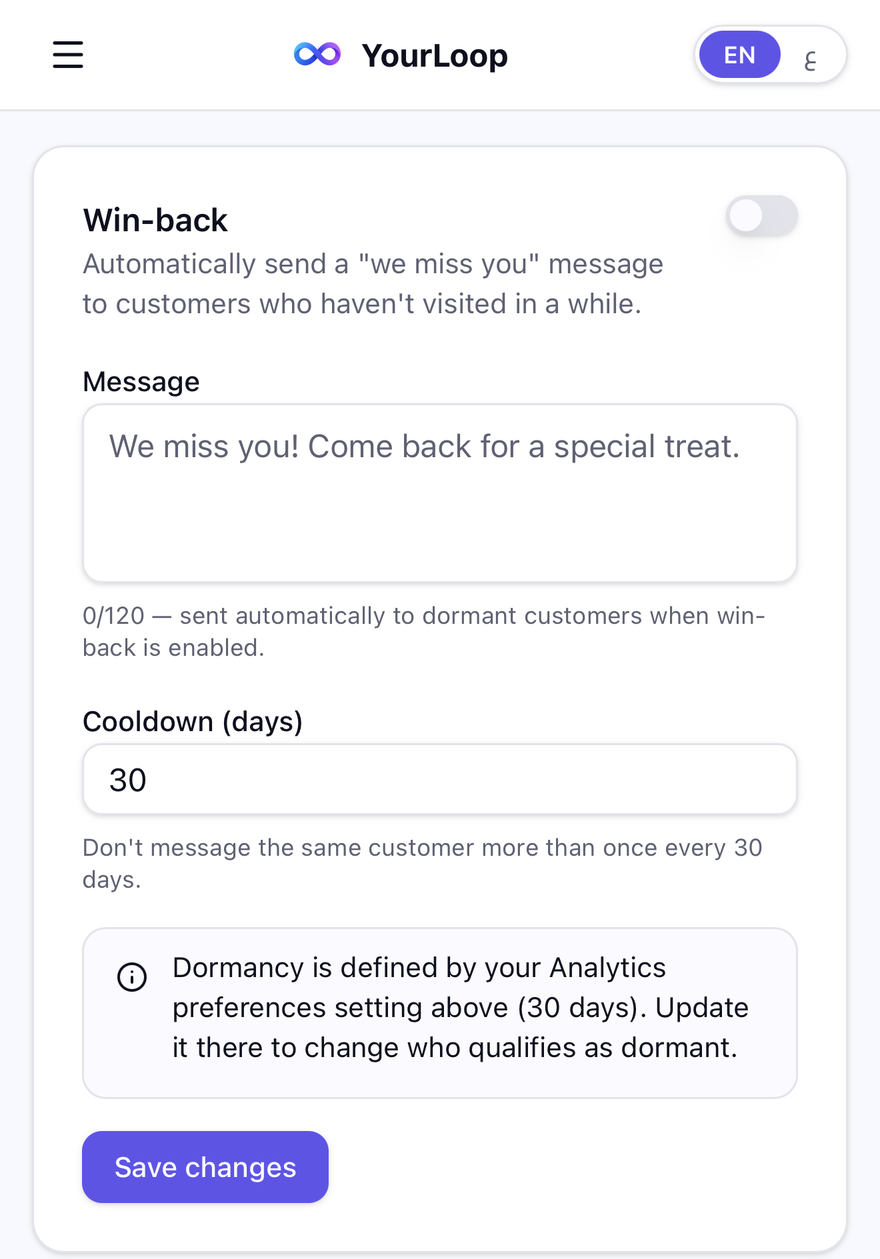
The Win-back setting in YourLoop.
The short version
Who gets it
Customers who visited before and have not come back for the number of days you choose.
Days without a visit
30, 60 or 90 days, or your own number.
Your message
You write it. Up to 120 characters.
No repeats
The same customer is not messaged again for 30 days, or the number you set.
Price
Pro is AED 249 a month, with a 7-day free trial.
How win-back works
- 01
Switch it on
In Settings, turn on Win-back.
- 02
Write your message
Type one short message, up to 120 characters. For example: “We miss you! Visit within 3 days and get 20% off.”
- 03
Choose the days
Pick how many days without a visit make a customer inactive, and how long to wait before messaging the same person again.
- 04
It sends by itself
YourLoop finds the customers who match and sends the message to their card. You do nothing more.
What you can do with win-back
Offer a special discount
Put a discount or offer in your message to bring customers back. For example: visit within 3 days and get 20% off. Your staff give the discount at the counter.
Choose your own timing
30, 60 or 90 days without a visit, or any number from 1 to 365.
Avoid bothering people
A waiting period stops the same customer from getting the message again too soon.
Reach iPhone and Android
The message goes to cards in Apple Wallet and Google Wallet.
What it does not do
- It cannot promise that every phone shows the message. That depends on the customer’s device and wallet settings.
- It is not SMS, WhatsApp or email. The message goes to the wallet card.
- It does not create discount codes or apply a discount by itself. You write the offer in the message, and your staff give it.
- It does not reach people who never visited, or who removed your card from their phone.
- It cannot promise that a customer comes back.
Questions
- What is a win-back message?
- A message sent automatically to customers who have not visited for a set number of days, to invite them back.
- How does YourLoop know a customer stopped visiting?
- It counts the days since the customer’s last visit. You choose the number of days.
- Can I write my own win-back message?
- Yes. You write it, up to 120 characters.
- Will the same customer get it again and again?
- No. You set a waiting period, 30 days by default, before the same customer can get it again.
- Which plan do I need for win-back?
- Pro or Business. Pro is AED 249 a month and Business is AED 399 a month. Every plan starts with a 7-day free trial.
- Is the win-back message an SMS?
- No. No SMS is sent. The message goes to the card in the customer’s Apple Wallet or Google Wallet.
Invite your quiet customers back, automatically.
Questions? Email us at info@yourloop.app
YourLoop is operated by SaifX For Computer Systems & Communication Equipment Software Design, a company registered in Dubai Mainland, UAE, under commercial licence number 1638907.