
Features
Scan loyalty cards with any phone
Your staff add stamps with the YourLoop scanner. It is a web page that opens on any phone with a camera, so there is no scanner device to buy and no app to download from a store.
Scan the QR code on the customer’s card, tap once, and the stamp is added.
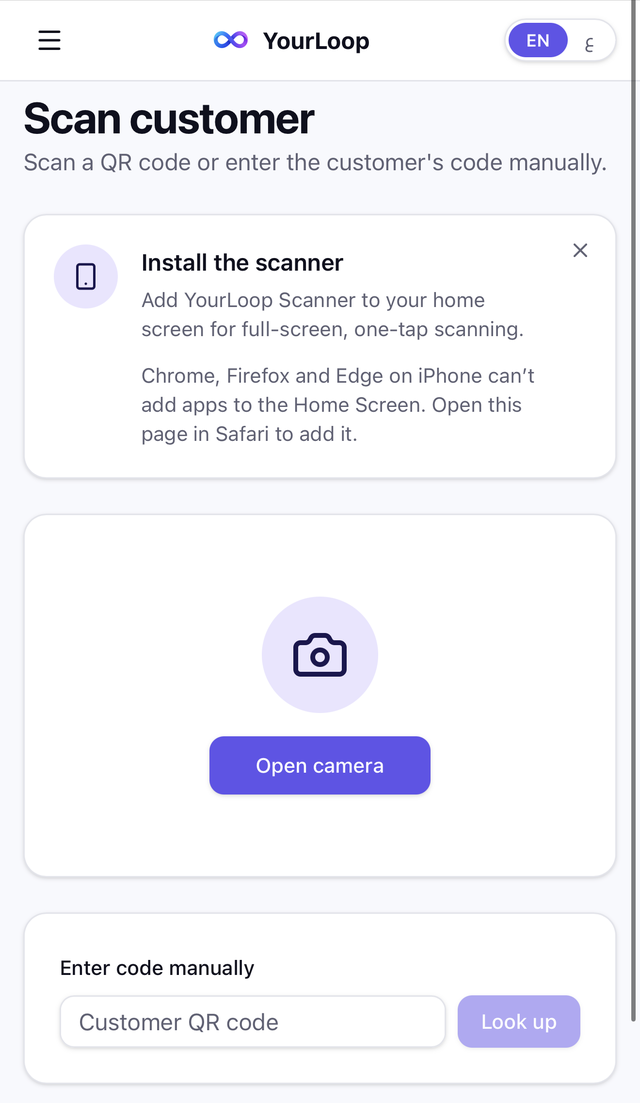
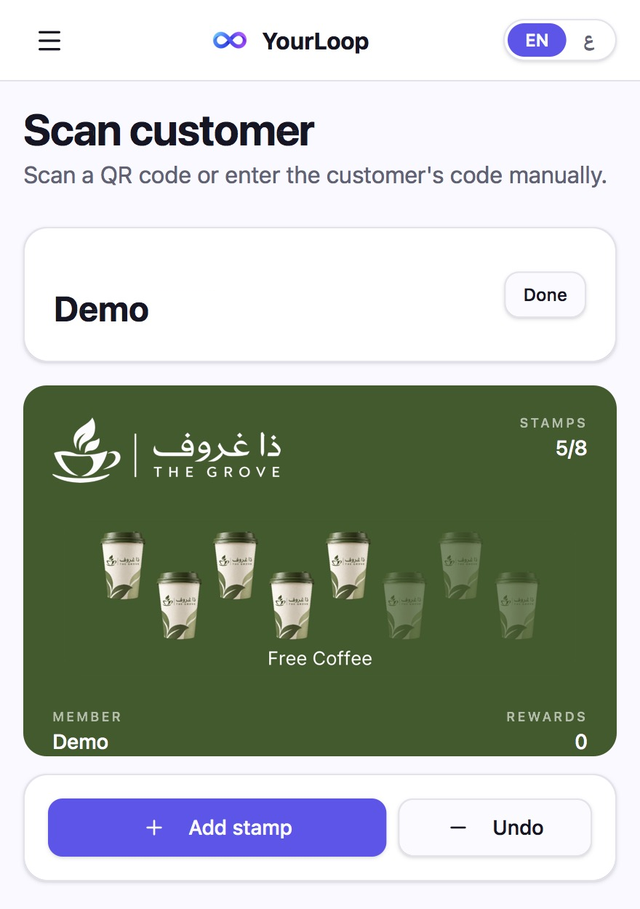
The YourLoop scanner on a staff phone.
The short version
Works on
Any phone with a camera and a browser, iPhone or Android.
Adding a stamp
Scan the card and tap once. Each tap adds one stamp.
Staff accounts
Unlimited on every plan.
Who did what
Every stamp, reward and undo is recorded against the staff account that did it.
Price
From AED 149 a month, with a 7-day free trial.
How staff add a stamp
- 01
Open the scanner
Staff sign in on their phone and open the scanner. They can add it to the home screen so it opens with one tap.
- 02
Scan the customer’s card
Point the camera at the QR code on the card in the customer’s wallet.
- 03
Tap to add a stamp
The customer’s name and card appear. One tap adds one stamp.
- 04
The card updates
The stamp count on the customer’s phone updates. When the reward is ready, staff tap Claim.
What you can do with the scanner
Undo a mistake
Tapped once too many? Undo removes the last stamp.
Give staff the scanner only
Staff accounts see the scanner and nothing else. Owners and managers also see customers, cards and analytics.
See each person’s totals
The Staff page shows stamps, rewards and undos for each team member.
Type the code if the camera fails
Staff can enter the customer’s code by hand.
What it does not do
- It needs an internet connection. There is no offline mode.
- It does not connect to your till or POS system.
- It adds one stamp per tap. There is no button to add several at once.
- Staff cannot search for a customer by name or phone number in the scanner. They scan the card or type its code.
- It is not an app from the App Store or Google Play. It is a web page you can add to the home screen.
Questions
- Do I need to buy a scanner device?
- No. Any phone with a camera works.
- Do my staff need to download an app?
- No. The scanner is a web page. On iPhone it is added to the home screen from Safari, and on Android from Chrome.
- How many staff can use the scanner?
- As many as you need. Staff accounts are unlimited on every plan.
- Can staff see my customer list?
- No. Staff accounts open the scanner only.
- What if a staff member adds a stamp by mistake?
- They tap Undo and the stamp is removed. Undos are recorded too.
- Does the scanner work without internet?
- No. The scanner needs an internet connection.
Turn the phone at your counter into your stamp scanner.
Questions? Email us at info@yourloop.app
YourLoop is operated by SaifX For Computer Systems & Communication Equipment Software Design, a company registered in Dubai Mainland, UAE, under commercial licence number 1638907.