
FeaturesFirst in the UAE
A new card builder, with full-picture cards for iOS 27
Design a stamp card that looks like your brand: your own stamp icons, a glass stamp panel, a progress bar, a reward marker and a background picture. On iPhones with iOS 27, the design can now fill the whole card, from top to bottom. YourLoop is the first loyalty platform in the UAE to offer full-picture Apple Wallet cards for iOS 27.
On older iPhones and on Android, customers see your new design on the normal card, so nobody is left out.
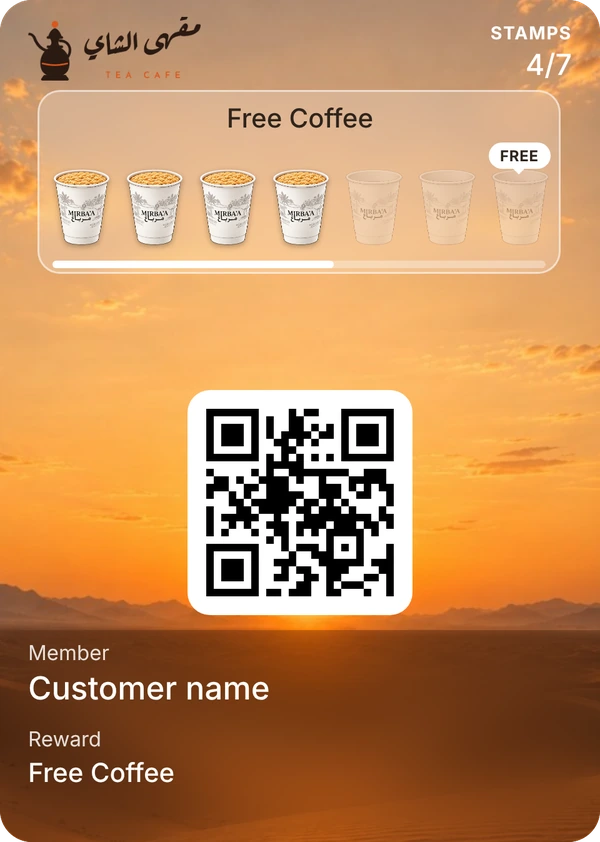
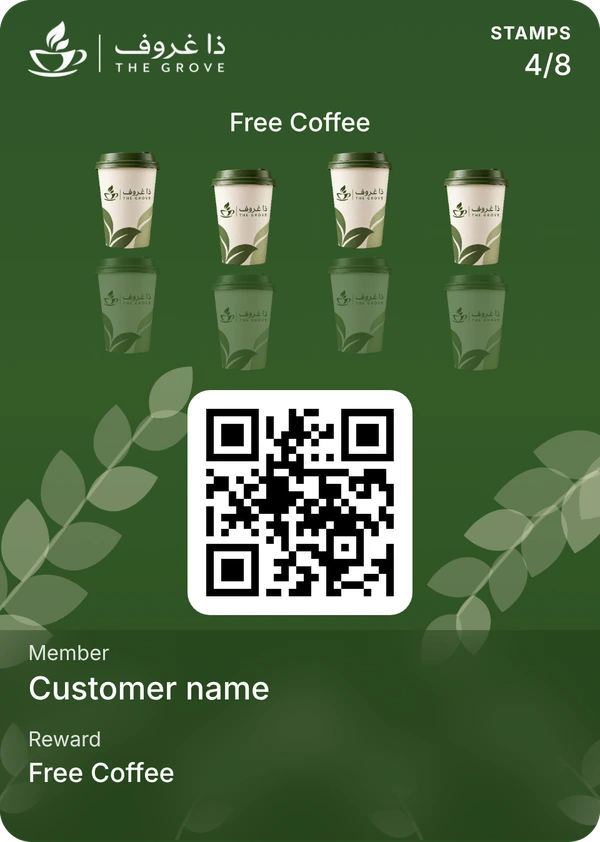
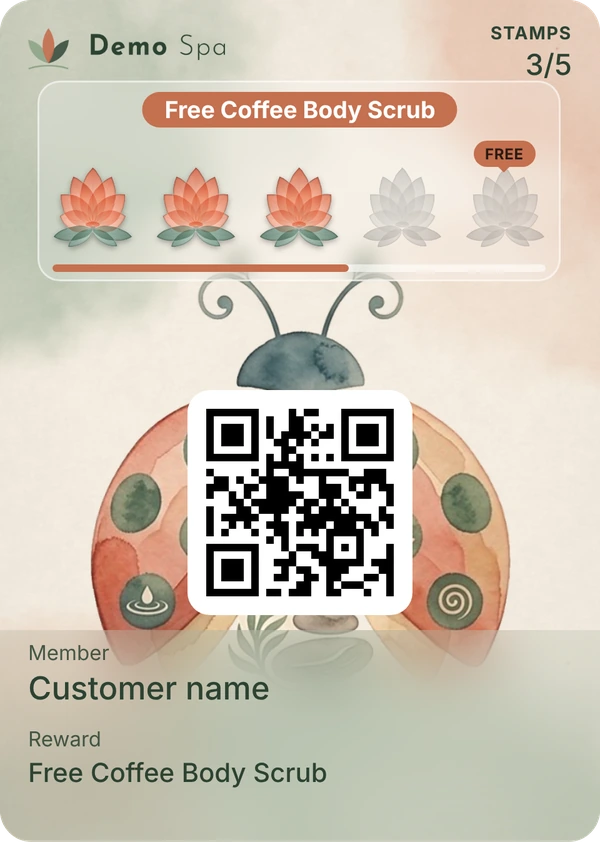
Cards made in YourLoop’s card builder, as they show on an iPhone with iOS 27.
The short version
New in the builder
Your own stamps, glass panel, progress bar, reward marker, background picture.
Full picture works on
iPhones with iOS 27.
Older iPhones and Android
They see the normal card layout, with your new design. Nothing breaks.
How to turn on the full picture
One switch per card, in the Brand tab of the card builder.
Plans
Included on every plan, from AED 149 a month, with a 7-day free trial.
Languages
English and Arabic.
New in the card builder
Your own stamp icons
Upload your own picture for a filled stamp and an empty one: a cup, a burger, a nail polish bottle.
Glass stamp panel
Put the stamps on a frosted glass panel so they stay clear over a photo.
Progress bar
A bar under the stamps shows how close the customer is to the reward.
Reward marker
A small “FREE” tag sits on the stamp that earns the reward.
Reward text on a pill
Show the reward name on a coloured pill above the stamps.
Background pictureNew cards
Cover the card with your own photo or artwork.
Gradient and shine
Blend your colours and add a soft shine.
Stamp layouts
A straight row, staggered, or a curve.
Change it any time
Edit the design whenever you like. Your customers’ cards update by themselves after you save.
What a full-picture card shows
- 1Your logo at the top, and the stamp count next to it.
- 2Your reward and your stamps, in the design you chose.
- 3Your picture or colours behind everything, from edge to edge.
- 4The QR code your staff scan to add a stamp.
- 5The customer’s name and the reward at the bottom.
How your background shows on the full-picture card
- 1Your picture covers the whole card, from edge to edge and from top to bottom.
- 2Your logo, stamp count, reward and stamps sit on top of it, in the top part of the card.
- 3The white QR code box sits in the middle, over your picture.
- 4At the bottom, the customer’s name and the reward sit on a soft blur of your picture, so they stay easy to read.
- 5On older iPhones and on Android, the same picture shows behind the stamps on the normal card.
Use a tall picture
A portrait picture works best, for example 960 × 1200 pixels. A wide picture loses its sides.
Keep the middle simple
The QR code box covers the centre, so keep faces and words away from the middle.
Keep the stamps clear
Choose the frosted glass stamp panel, or darken the picture with the overlay, so the stamps stand out.
How to make a full-picture card
- 01
Open your card
Go to Stamp cards and open the card you want to change, or create a new one.
- 02
Add your background
In the Images tab, upload your picture under Background photo. Choose where it sits and how dark the overlay is.
- 03
Switch on the full picture
In the Brand tab, switch on “Full-picture card (iOS 27)”. A second preview shows the card as it will look on iOS 27.
- 04
Save
Customers who already have the card on iOS 27 get the full picture by themselves, with no new stamp needed. Switch it off any time to go back to the normal card.
More card looks
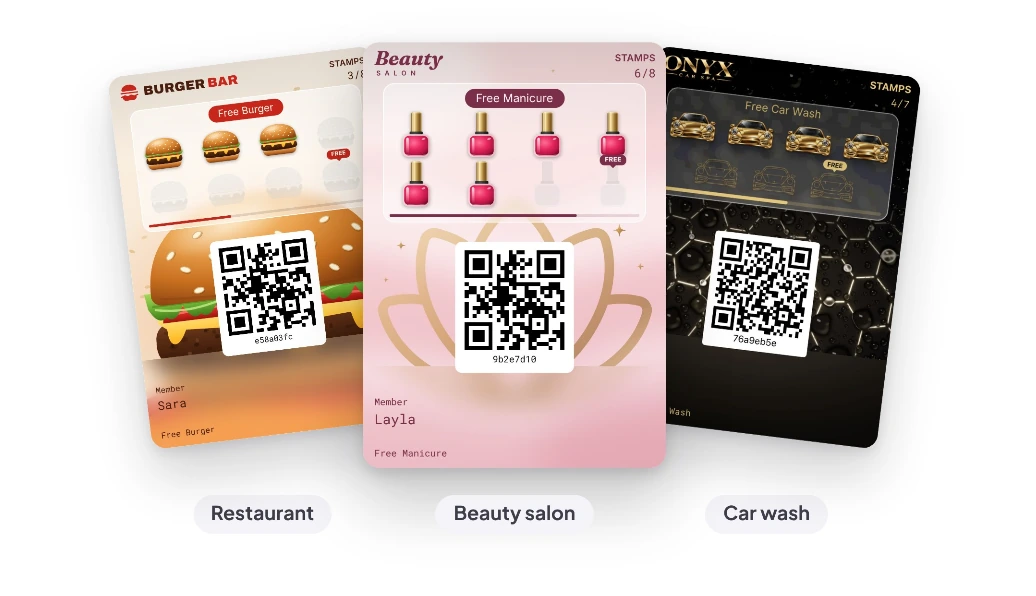
A restaurant, a beauty salon and a car wash card, made in the same builder.
What it does not do
- It does not show on older iPhones or on Android. Those customers see your normal card.
- It does not add stamps by itself. A member of your staff scans the card each time.
- Cards made before the new builder cannot have a background picture. They can still switch on the full picture, using their colours.
- It does not change how customers join: they still scan your QR code and tap “Add to Apple Wallet”.
Questions
Give your customers a card worth keeping.
Questions? Email us at info@yourloop.app
YourLoop is operated by SaifX For Computer Systems & Communication Equipment Software Design, a company registered in Dubai Mainland, UAE, under commercial licence number 1638907.